
The Best IPTV Provider in the Arab World

Best IPTV Service Channels & Shows
Buffer-Free in Stunning 4K Quality

Experience the best IPTV service: Enjoy +7,000 Live Channels and a massive VOD library of movies and series. Featuring BeIN Sports, OSN, MBC, Netflix, and more—all within one subscription

International and Local Channel Packages

We provide you with comprehensive access to the strongest sports, entertainment, and news networks in superior quality

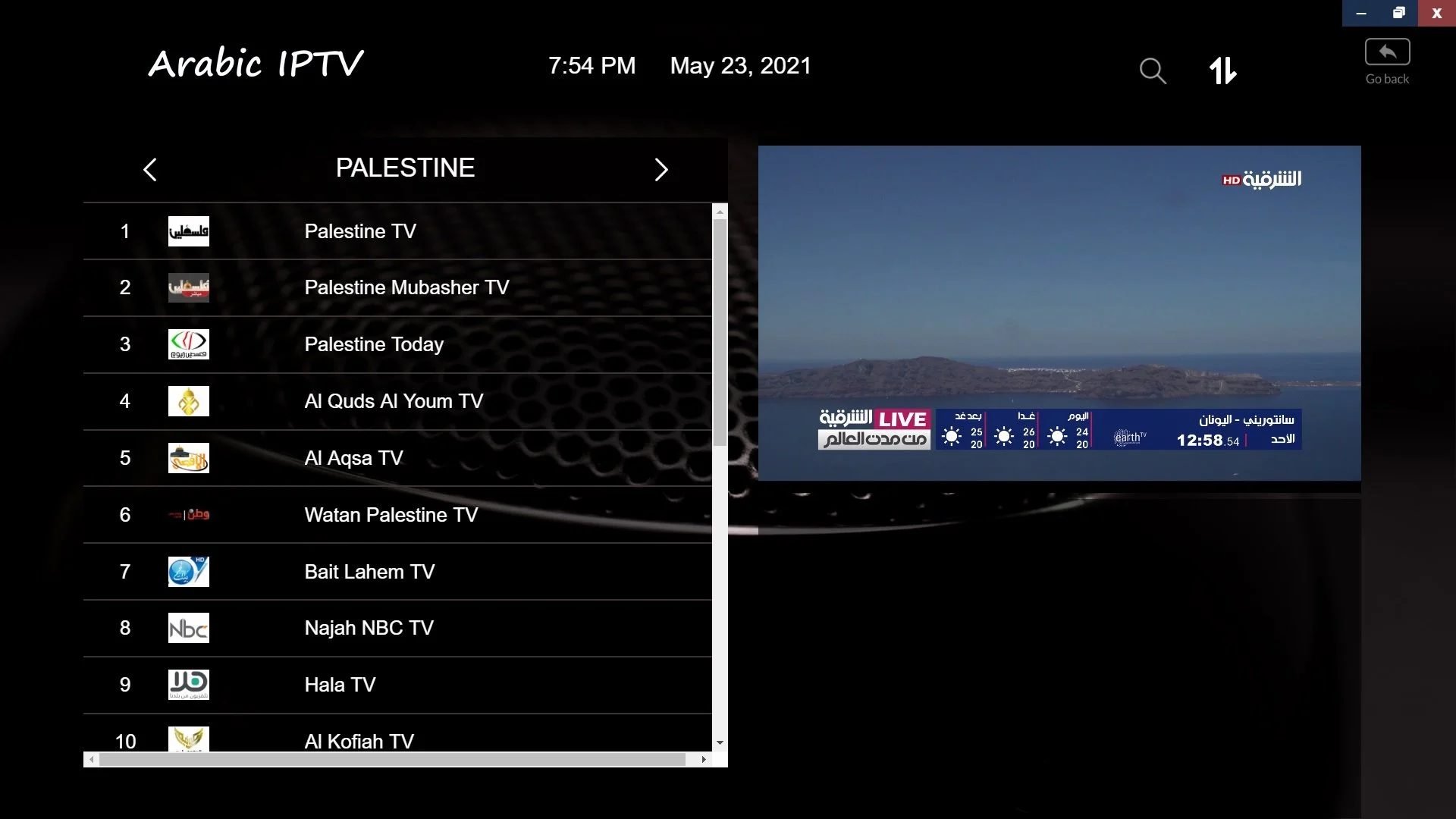
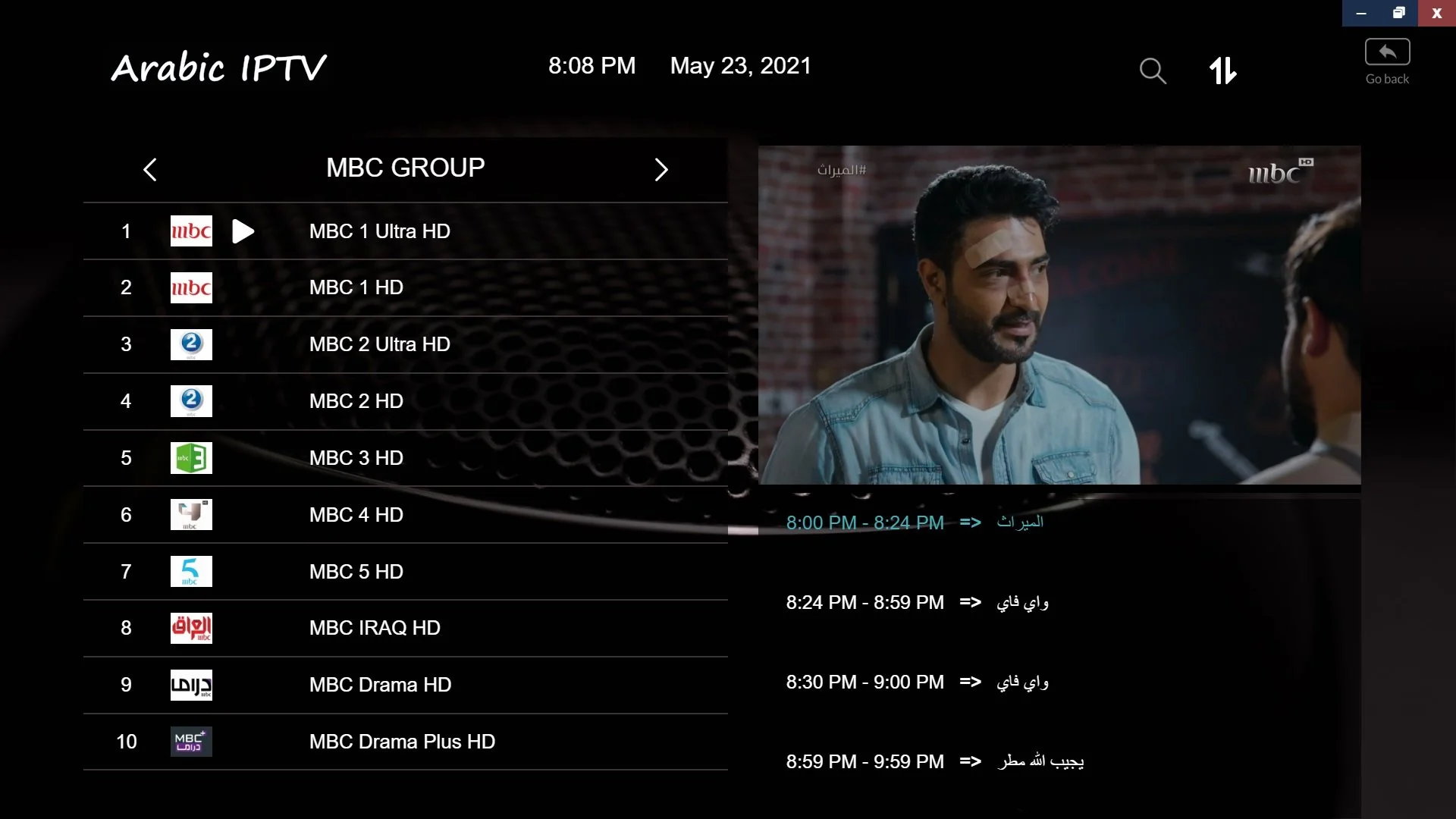
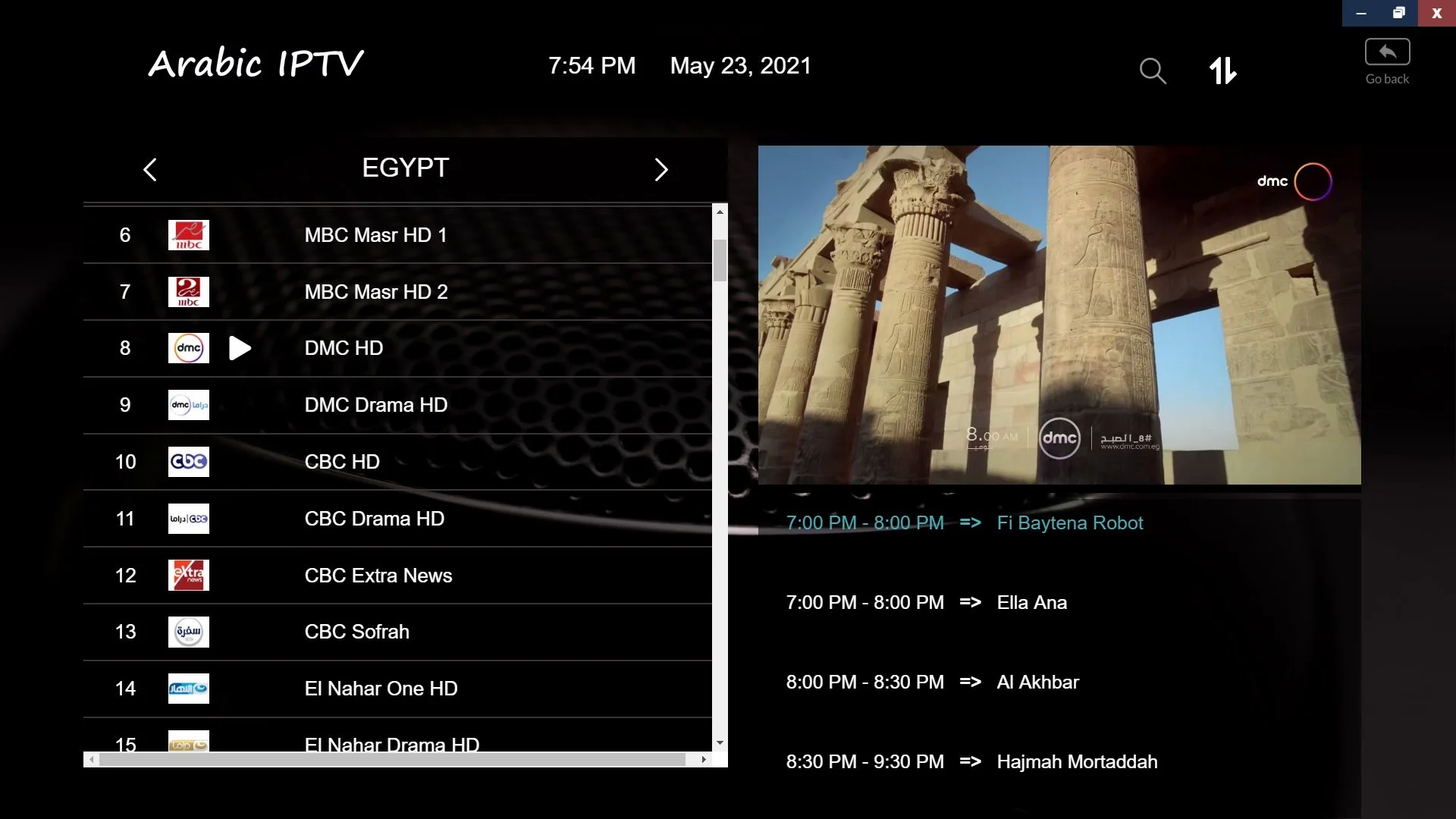
+7,000 Live Channels

Enjoy Arabic and international channels in 4K and HD, covering sports, entertainment, and news

Affordable Flexible Plans

We provide the best value for money with various packages to suit your needs, plus exclusive discounts for long-term subscriptions

Compatible with All Devices

Full support for all systems and devices: Android, Apple, Amazon Fire TV, Smart TV, and PC

Server Stability

We rely on powerful streaming servers to deliver the best IPTV service without any freezing or lag during major matches

24/7 Technical Support

Our team is always available to help you with any inquiries or technical issues at any time

Free Trial

Try the service yourself for two days for free before subscribing. We offer flexible subscription plans to suit everyone

International and Local Channel Packages of the the best IPTV

Enjoy full access to top sports, entertainment, and news in superior quality with the best IPTV service

‎6-Month Plan

40 /55

12-Month Plan

60 /80

24-Month Plan

$100 /125

5-Year Plan

249 /300

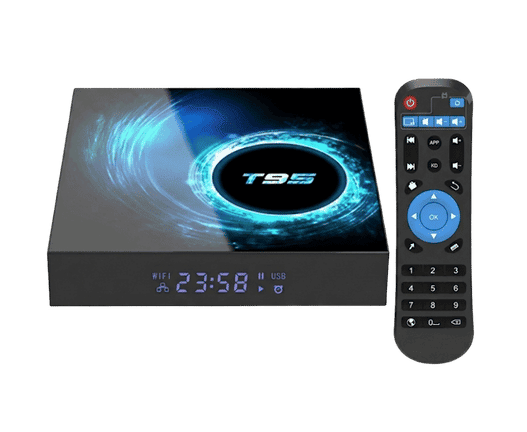
Order the Arabic Android TV Box including the subscription ​

Full access to top sports, entertainment, and news in superior quality with our the best IPTV

! Get Your Arabic TV Box Now

!Fast & Free Shipping – 2-Day Delivery
Shipping available only to: USA, Canada, UK, Australia, New Zealand, Saudi Arabia, and UAE

:Bundle Offers

Arabic TV Box + 2-Year Subscription

Arabic TV Box + 1-Year Subscription

premium iptv provider TV Box

International & Local Channels from a Premium IPTV Provider

Full access to top sports, entertainment, and news in premium iptv service

Massive VOD Library

Trending Shows

Cinema Hits

TV Series

Kids' World

Reliable IPTV Provider with Revolutionary Viewing & Tech

No crowded public servers. As the best IPTV service, our dedicated infrastructure ensures low-latency streaming and true 4K quality—even on average speeds—through advanced compression

🔄  Instant Updates: New episodes added on release.

🚀  Fast Response: Instant channel zapping.

🌐  Global Servers: Distributed across Europe & USA.

🛡️  Anti-Ban Protection: Secure access, unaffected by IP changes.

Unsure? try the service for 48 hour

Get an instant 48-hour trial from a premium IPTV provider for only 5 dollers. Experience our quality and stability firsthand!

Frequently Asked Questions (FAQ) & Technical Info

Discover everything you need to know about IPTV and howa reliable IPTV provider ensuring you get the ultimate viewing experience

Answer: IPTV stands for “Internet Protocol Television.” It is a modern technology that relies on the internet to deliver television programs and video content, including both Live TV and Video on Demand (VOD) such as movies and series.

In short, it is a digital system that allows you to stream TV channels directly through your internet connection, completely replacing traditional methods like satellite dishes or cables. All you need is an internet connection anywhere, and you can start enjoying your favorite content instantly!

Answer: We offer a comprehensive package of digital entertainment services, which includes:

1. Live TV: Live channels available in multiple resolutions (4K, FHD, HD, SD) to suit all internet connection speeds.

2. Video on Demand (VOD): A massive library of the latest international movies and TV series in cinematic quality (4K, FHD, HD).

3. Time-Shift & Catch-Up TV: Missed your favorite show? Easily rewind and replay past programs and live broadcasts at your convenience.

4. Electronic Program Guide (EPG): A fully updated, built-in TV guide to check the schedule of daily programs, sports matches, and series.

5. Radio Stations: Listen to the most popular local and international radio stations in crystal-clear audio quality.

 Answer: Currently, we do not offer free, short-term trials. This policy is in place to ensure maximum server stability and an uninterrupted streaming experience for our active, paying subscribers.

However, you can get a full 24-hour trial subscription to thoroughly test our channel quality and streaming speed for a nominal fee of just $2.00.

[Click Here to Order Your 24-Hour Trial Now]

💡 Note: Activation is completely instant and automated! The moment you complete your order, your login credentials will be sent directly to your email so you can start watching immediately.

Answer: We guarantee your right to a refund within 7 business days from the date of purchase if you encounter any technical issue that our team is unable to resolve.

All you need to do is open a Support Ticket, and our finance team will process your refund request within just 2 business days.

Answer: Setting up the best IPTV service is incredibly simple and requires no complicated installations! Just follow these three easy steps:

  • 1. Internet Requirements: The service relies entirely on the internet. It works efficiently on any Wi-Fi connection or mobile data (4G/5G) with a minimum speed of 5 Mbps.

  • 2. Install the App: Download the specific app for your device (whether it’s a Smart TV, Android Box, Amazon Firestick, Apple TV, Roku, Smartphone, or PC).

  • 3. Activate Your Subscription: Once you order a subscription from our website, it is activated automatically and instantly. You will receive an email right away containing all your login credentials to start watching immediately.

Answer: Our basic subscription allows you to stream the service on one device (one connection) at a time.

⚠️ Important Note: You can install and log in with your subscription details on multiple devices (such as your TV and your smartphone), but you must ensure that you are only watching on one device at a time.

Want to watch on multiple devices simultaneously? If you wish to stream on several devices at the same time, you can easily add up to 3 extra devices (multiple connections) to your basic plan. This option is readily available for you to select on the Checkout page, as shown in the image below.

 Answer: Currently, we do not offer free, short-term trials. This policy is in place to ensure maximum server stability and an uninterrupted streaming experience for our active, paying subscribers.

However, you can get a full 24-hour trial subscription to thoroughly test our channel quality and streaming speed for a nominal fee of just $2.00.

[Click Here to Order Your 24-Hour Trial Now]

💡 Note: Activation is completely instant and automated! The moment you complete your order, your login credentials will be sent directly to your email so you can start watching immediately.

Answer: You can easily renew your subscription at any time through your personal account by following these steps:

  1. Log In: Access your account on our website.

  2. My Services: Go to the “My Services” section in your dashboard.

  3. Instant Renewal: If your subscription has already expired, you will see a “Renew Now” button. Simply click it to complete the process.

💡 Note: If your subscription is still active and you wish to renew early to ensure zero interruption, please select “Order New Services” and choose your preferred package.
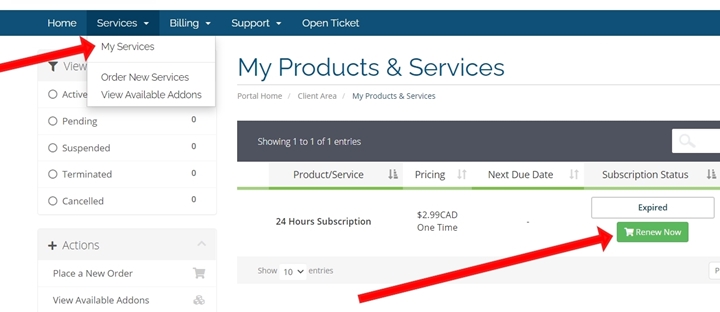
how to renew your iptv subscription

:For the best streaming experience, we highly recommend using one of the following apps available directly on the Google Play Store

  • Option 1: ALL IPTV PLAYER

  • Option 2: IPTV Smarters Pro

Note: If the Google Play Store is not available on your device, please follow the manual installation steps below.


Method 1: Direct Download for the the best IPTV via Browser

  1. Go to your device’s Home Screen and open Google Chrome (or any web browser).

  2. Type the following URL into the address bar: https://bit.ly/123apk123

  3. Once downloaded, open your device’s File Browser (or File Manager) and locate the downloaded file.

  4. Select the file and click Install.

Method 2: Installation via USB Drive

  1. Using your computer, download the APK file from this link: https://bit.ly/123apk123

  2. Copy the downloaded file onto a USB flash drive.

  3. Plug the USB drive into your TV Box.

  4. Navigate to: Home Screen > Apps > AppInstaller (or your File Browser).

  5. Open the USB folder, select the “All IPTV Player” file, and begin the installation.


💡 Important Note for Subscribers: If you have already completed your the best IPTV subscription order with us, please check your email inbox to find your login credentials and activation details.

You can easily install the app for our the best IPTV the best IPTV service via the official store, or manually if it is unavailable in your region.

Method 1: Installation via Amazon Appstore

  1. Go to the search bar on your device and search for the app: “All IPTV Player”.

how to install app

  1. Download and install the app directly. (Note: On some Amazon devices, the app may not be available in the store. In that case, please use the manual installation method below).

Method 2: Manual Installation (via Downloader App)

Please follow these steps carefully to enable developer options and install the app:

 Device Settings

  • Go to Settings > My Fire TV > Developer Options.

  • Ensure that both ADB Debugging and Apps from Unknown Sources are turned ON.

Download the App

  • Go to your Home Screen > Apps > search for the Downloader app and open it. (If you don’t have the Downloader app, you can download it for free from the Amazon Appstore).

  • Inside the Downloader app, type the following URL: https://bit.ly/123apk123 and click Go (or Download).

 Installation

  • The file will automatically start downloading to your device.

  • Once the download is complete, click Install to set up our the best IPTV app on your device.

Important Note💡

  • Once the installation is complete, if you have already submitted your subscription order with us, please check your email inbox to find your login credentials.

A dedicated installation guide for MacBook, iMac, and MacBook Air devices.

Installation & Setup Steps

  1. Search the App Store: First, try searching for the “Sky IPTV Player” app directly in the Apple Mac App Store.
  2. Manual Download: If you cannot find the app in the store, you can download it manually via this direct link: https://bit.ly/alliptv2020macbook
  3. Install the App: Once the download is complete, open the file to install it. You will find the app under the name “All IPTV Player” in your Applications folder or on your Desktop.
  4. Log In: Launch the app and log in using the subscription credentials we sent you via email.

 Important Note for Mac Users 💡

When opening the app for the first time, your Mac’s security system may prompt you to confirm opening an app downloaded from outside the App Store. To allow this, simply go to System Settings (or System Preferences) > Privacy & Security, and click Open Anyway next to the app.